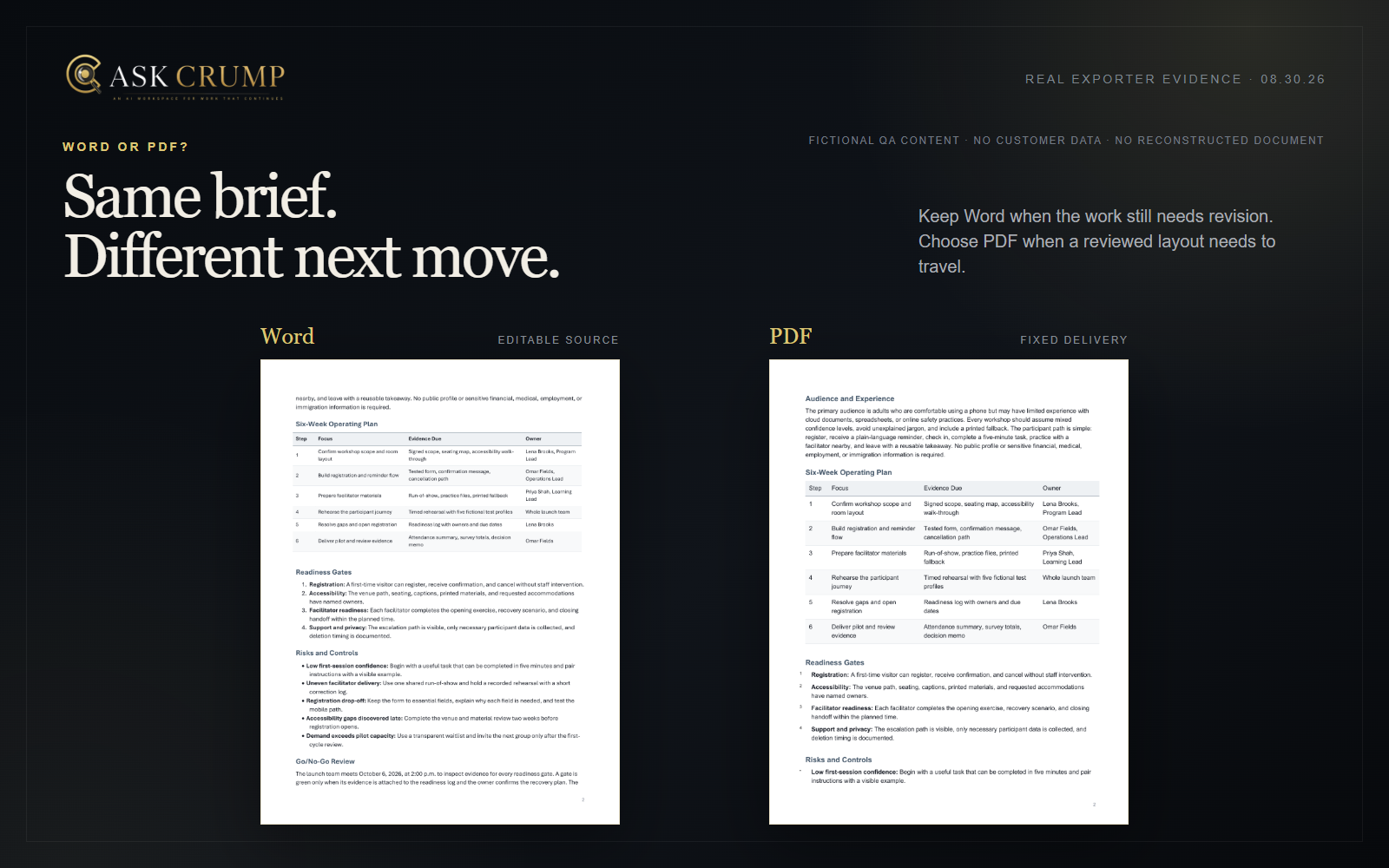
A document format is not a finishing detail. It decides what the next person can change, how reliably the layout travels, and what review still needs to happen.
Choose Word when the file still needs revision. Choose PDF when the content and layout have finished review and the next job is reliable reading, sharing, printing, or archiving. The useful question is not which format is better. It is what the recipient must do next.
Begin with the next person
Ask four questions before generating:
Who receives the file next?
A collaborator, approver, client, applicant system, printer, or archive?
What must they do?
Rewrite, comment, approve, sign, read, print, or preserve?
Which parts may still change?
Words, numbers, headings, tables, pagination, brand treatment—or nothing?
Which software and requirements govern delivery?
Microsoft Word, Google Docs, a document-management system, a print workflow, accessibility rules, or a filing standard?
These answers usually make the format decision clearer than a generic feature comparison.
Choose Word while the work is still moving
An editable .docx is usually the better working file when someone still needs to:
- rewrite text or reorganize sections;
- edit a table cell without recreating the page;
- apply an approved template or style set;
- add comments or tracked changes;
- reuse the content in another document;
- run organization-specific accessibility and compliance checks; or
- maintain a version that will continue changing.
Editable does not mean application-independent. Fonts, spacing, page breaks, tables, and other elements may render differently across Word, Google Docs, Pages, LibreOffice, and automated document systems. Open the file in the software that will own the next revision.
Choose PDF when the reviewed layout should travel
A PDF is usually the better delivery file when the next person primarily needs to:
- read or print a reviewed document;
- see the intended pagination and visual hierarchy;
- distribute a version that should not be casually rewritten;
- submit a final copy to a system that explicitly accepts PDF; or
- preserve a dated record of what was approved.
PDF is not automatically private, secure, accessible, legally sufficient, or impossible to edit. Those properties depend on how the file is created, protected, tagged, delivered, and governed. Treat PDF as fixed-layout delivery—not a blanket security promise.
The strongest workflow often keeps both
For work that requires review and then distribution:
- Generate or draft in Word.
- Revise the structure and verify every fact.
- Apply required styles, accessibility work, and approvals.
- Keep the reviewed
.docxas the editable source. - Export the approved state to PDF.
- Open the PDF separately and verify pagination, tables, links, selectable text, tags where required, and print behavior.
- Label the final file and preserve the editable source under the applicable version policy.
The Word file and PDF are often two stages of the same document lifecycle, not competing answers.
One fictional brief, two real output paths
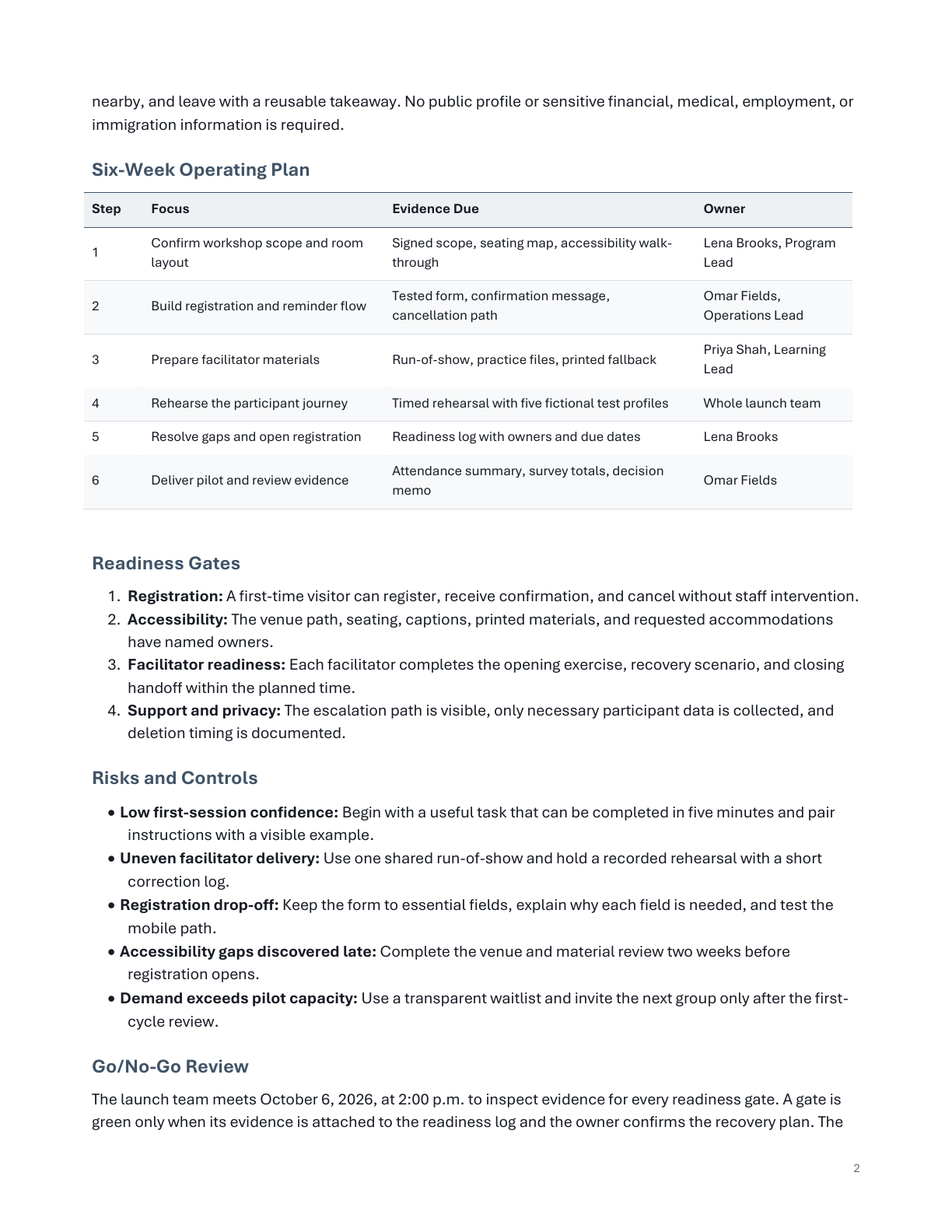
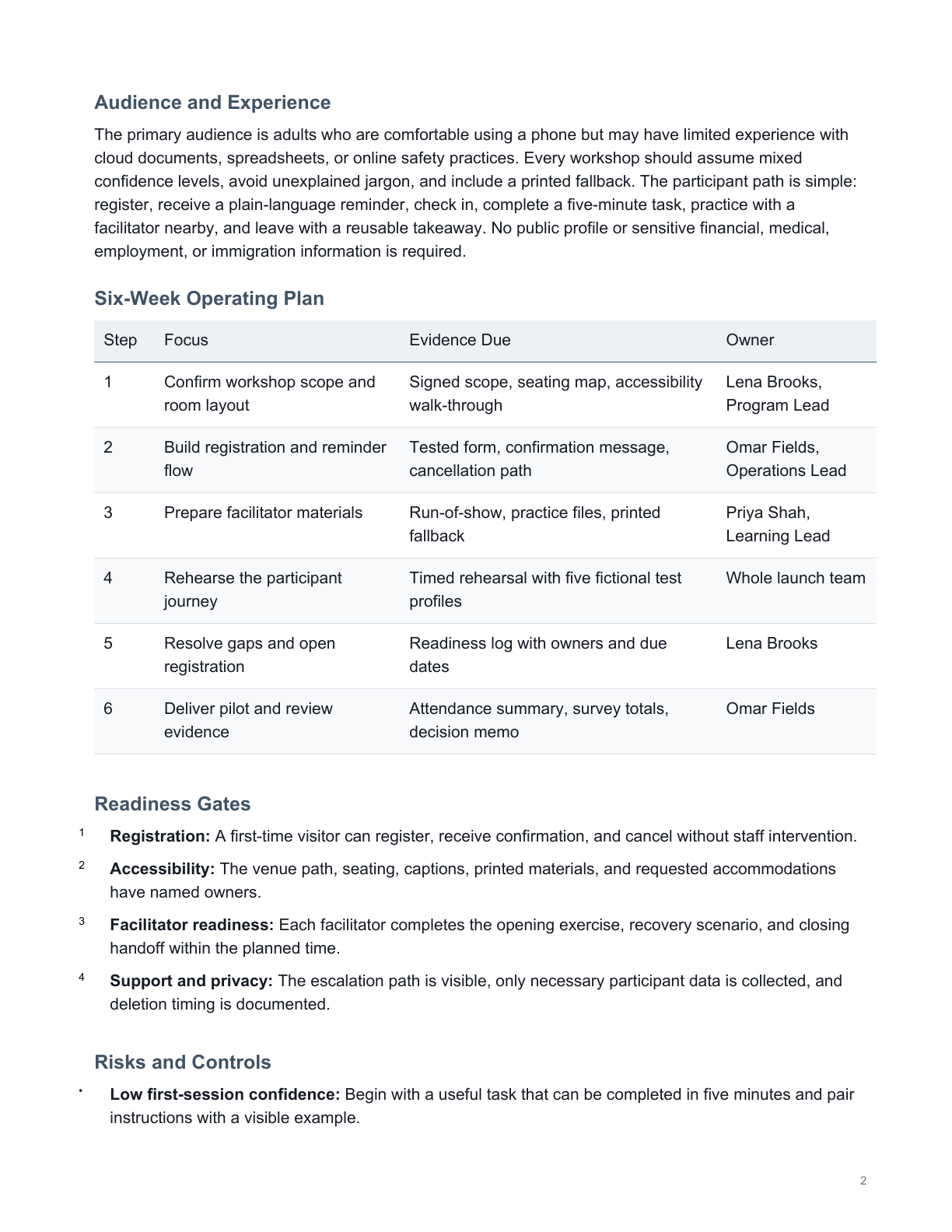
The same sanitized source was sent separately to Ask Crump’s current production Word and PDF exporters using the business-document profile. The fictional Harborlight Community Workshop Launch Brief contains a launch decision, objectives and measures, a six-week operating plan, readiness gates, risks and controls, a go/no-go review, and immediate next steps.
It contains no customer content, founder material, private career history, testimonial, real participant, or real organization. Harborlight Learning Collective and every person, date, figure, threshold, and operating detail are invented solely for product QA.
What remained editable in Word
The accepted 40,858-byte .docx opened in Microsoft Word 16.0 as native document content—not a stack of page images. Its structure includes 32 document-body paragraph blocks, 10 title or heading blocks, two native tables with 12 rows total, and zero embedded media objects. Headings, prose, lists, and individual table cells remain available for revision.
What stayed fixed in PDF
The accepted 7,744-byte PDF contains three US Letter pages and 5,024 extractable text characters. Visual review found no clipped copy, overlap, missing section, broken table, or unreadable cell. Its title, author, and subject metadata match the Word file.
The PDF is not tagged for accessibility. Extractable text and clean rendering do not establish reading order, screen-reader quality, compliance, or suitability for a particular filing system. Those checks still belong to the delivery workflow.
The first successful exports were still rejected
The first genuine pair did not pass visual review. In Word, the transition into Six-Week Operating Plan was too cramped. In PDF, Risks and Controls was stranded at the bottom of page 2 while its list began on page 3. Product QA shortened only the fictional source section responsible for the awkward pagination, regenerated both formats through the same exporters, and inspected all six replacement pages.
A file can open successfully and still have an orphaned heading, awkward transition, broken table, clipped copy, poor reading order, or unsuitable delivery format. Native visual review remains part of the workflow.
A seven-point handoff review
Verify the content
Check every fact, number, date, name, source, and instruction.
Confirm authorization
Remove material the recipient is not authorized to receive.
Open the real file
Use the recipient’s likely software or viewer, not only a download-success message.
Review accessibility
Check headings, reading order, tables, links, contrast, tags, and alternative-text requirements.
Match format to action
Make the working file editable and the delivery file fixed for the next task.
Name the version clearly
Use an unambiguous filename and version label.
Preserve the source
Keep the approved editable source when later revision or audit may be required.
AI can help turn source material into a structured draft. It cannot decide your organization’s delivery, accessibility, legal, records, or approval requirements for you.
Shape source material into Word or PDF output.
Use Word while the document still needs revision. Use PDF after the reviewed layout is ready for delivery. Ask Crump can help structure either output; final facts, formatting, accessibility, and approval remain yours to verify.
Document creation requires a paid plan · Account creation is free · Nothing is purchased until checkout is confirmed
Evidence and method
The accepted Word file has SHA-256 2B6DCAD9E4558D3B387289D8390AA6E776A03D2AFA0DB5183EEF19AA6441A231; the accepted PDF has SHA-256 A8A758D7A8AEC6FFDE4CBE77A43B6FF86192B02FE1B904D792A59F7104992B3E. Both were inspected page by page after structural, metadata, content-anchor, and bounded privacy checks. Results vary by source material, request, software, fonts, and delivery requirements. No customer content or testimonial is used.